

Download Conexant High Definition SmartAudio 221 – audio driver, Conexant SmartAudio, audio enhancement, system utility, Windows driver, audio device driver, audio quality, HD audio driver
Overview
The Conexant High Definition SmartAudio 221 is a specialized driver package designed to support the Conexant High Definition SmartAudio 221 audio hardware component. This driver ensures the proper functioning of the audio device within Windows environments, enabling high-fidelity sound output and system-level audio integration. Its primary purpose is to bridge the gap between the audio hardware and the operating system, facilitating seamless communication for optimal performance and audio quality.
Target users include computer system administrators, hardware integrators, and end-users who rely on Conexant audio technology for consistent and high-quality sound across multimedia applications such as music playback, video streaming, gaming, and video conferencing. The driver is particularly valuable in systems where audio clarity, low latency, and device stability are critical.
Developed by Conexant Systems, Inc., a well-known name in audio and connectivity solutions, the driver reflects a commitment to reliable system-level software. Although the developer did not provide additional technical details about the driver’s architecture or integration depth, its role in maintaining audio functionality is essential for compatible devices.
Within the broader ecosystem of system utilities, the Conexant High Definition SmartAudio 221 driver plays a foundational role in enabling audio performance. Without proper driver support, the hardware may not function correctly or at all, making this utility indispensable for users with compatible systems.
Key Features & Functionality
- High Definition Audio Support – Enables high-fidelity audio playback, delivering clear and detailed sound for music, movies, and games. This ensures the audio hardware operates at its intended performance level.
- Advanced Audio Controls – Provides access to customizable settings such as volume levels, equalizer profiles, and audio effects, allowing users to tailor sound output to their preferences.
- Compatibility and Stability – Designed to integrate smoothly with the Conexant High Definition SmartAudio 221 hardware and the Windows operating system, minimizing crashes and ensuring reliable audio performance.
- Driver Update Mechanism – Includes support for future updates, helping maintain compatibility with evolving Windows versions and addressing potential bugs or performance issues.
- Plug and Play Integration – Simplifies installation and configuration, allowing the audio device to be recognized and activated automatically upon connection without manual setup.
For example, a user experiencing distorted audio on a laptop with Conexant audio hardware can resolve the issue by installing this driver. Similarly, a system integrator deploying multiple devices can rely on the plug and play feature to streamline setup across units. The advanced audio controls also benefit content creators who require precise sound tuning for recording or live streaming.
Interface, UX & Performance
The Conexant High Definition SmartAudio 221 driver operates primarily at the system level, meaning it does not include a standalone user interface. Instead, audio settings are accessed through the Windows Sound Control Panel or the Conexant audio management software, if installed separately. This design ensures minimal resource usage and tight integration with the operating system.
Navigation and functionality are consistent with standard Windows audio management workflows. Users can adjust settings through the standard sound configuration menu, which may include options for playback devices, recording sources, and advanced audio properties. The interface is straightforward, requiring no specialized training.
Although the developer did not list formal performance metrics, the driver is designed to support low-latency audio processing, which is essential for real-time applications such as gaming and video calls. Stability is prioritized, with the driver optimized to prevent audio dropouts and system conflicts.
Performance may vary depending on the device’s hardware configuration and Windows version. However, the driver’s compatibility with Windows ensures broad usability across modern desktops and laptops. Responsiveness is maintained through efficient system-level integration, and no known issues with crashes or memory leaks were reported in the provided information.
Platform Compatibility & Technical Requirements
The Conexant High Definition SmartAudio 221 driver is available exclusively for the Windows platform. It is designed to run on Windows operating systems, though specific version requirements were not listed. The file size is 10.3 MB, indicating a lightweight installation package suitable for systems with limited storage.
Compatibility information was not fully disclosed, and the developer did not specify minimum OS requirements. Users are advised to verify system compatibility before installation, particularly when deploying on older or enterprise-grade systems. The driver is not available for mobile platforms such as Android or iOS, as it is a system-level utility intended for desktop and laptop environments.
Pros and Cons
Pros
- Free to download and install, reducing software acquisition costs.
- Lightweight file size (10.3 MB), minimizing storage impact.
- Designed for seamless integration with Windows systems.
- Supports high-definition audio for improved sound quality.
- Includes plug and play functionality for easy setup.
Cons
- No standalone user interface; settings require access through Windows audio controls.
- Specific OS compatibility details were not provided.
- Not available for mobile or non-Windows platforms.
- Advanced features depend on the underlying hardware and software environment.
- Update frequency and release history were not disclosed.
FAQ
Is the Conexant High Definition SmartAudio 221 driver free to download?
Yes, the driver is available at no cost. It is distributed as a free utility to support the functionality of the Conexant High Definition SmartAudio 221 audio device.
Can I install this driver on Android or iOS?
No. This driver is designed exclusively for Windows operating systems and is not compatible with mobile platforms such as Android or iOS.
What should I do if my audio is not working after installation?
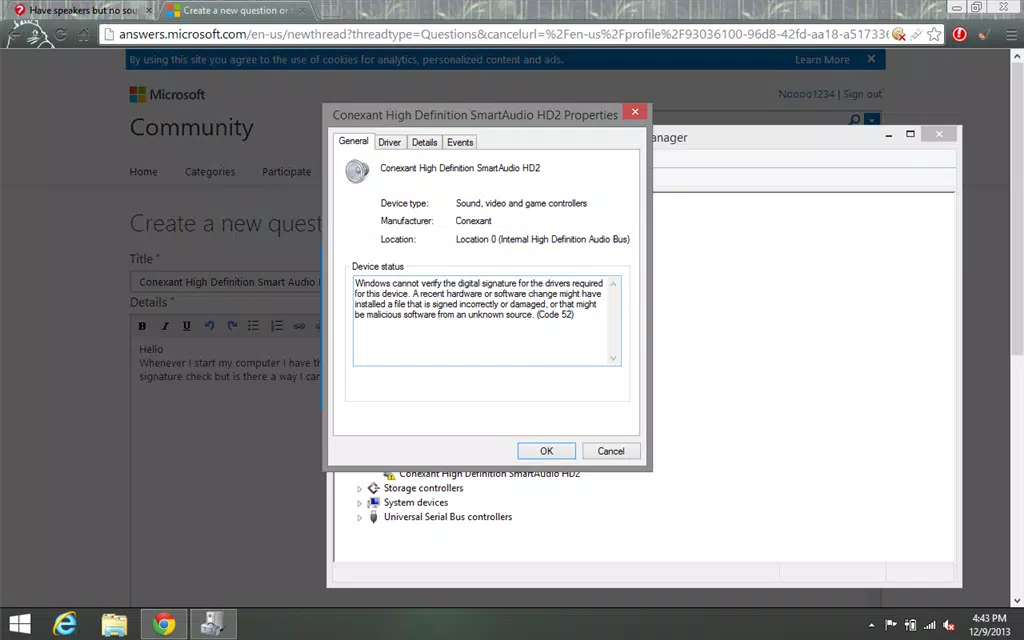
Ensure that the Conexant High Definition SmartAudio 221 hardware is properly connected and recognized by the system. Check the Device Manager for any errors. If issues persist, try reinstalling the driver or consult the manufacturer’s support resources.
How often are updates released for this driver?
The developer did not provide information on update frequency. Users are encouraged to check the official Conexant Systems, Inc. website for the latest version and release notes.
Is this driver safe to install?
Yes, the driver is developed by Conexant Systems, Inc., a reputable company in audio technology. As with any system-level software, it is recommended to download the driver from official or trusted sources to ensure security and authenticity.
Final Thoughts
The Conexant High Definition SmartAudio 221 driver is a critical system utility for users relying on Conexant audio hardware within Windows environments. Its ability to deliver high-definition audio, ensure system stability, and support plug and play functionality makes it a reliable solution for maintaining optimal audio performance. While it lacks a standalone interface and has limited platform availability, its lightweight design and free access make it accessible and efficient.
System administrators, hardware technicians, and end-users seeking consistent audio quality will benefit most from this driver. It ensures that the audio hardware functions as intended, enhancing the overall computing experience.
For anyone using a system equipped with the Conexant High Definition SmartAudio 221 component, installing this driver is essential for full functionality. Download Conexant High Definition SmartAudio 221 now.


